The part most companies leave you to figure out.
From the day you sign, you get a private studio: your files, your contracts, your invoices, and fifteen short lessons that tell you exactly what happens next. No guessing. No chasing anyone for an update.
This is it. Not a mock-up.
A real look at the studio every Lit Designers author gets on day one.

Captured from the live portal. Five modules, fifteen lessons, and a progress tracker that remembers where you left off.
Fifteen lessons. Three minutes each.
Not a folder of PDFs. A guided walk through the whole process, in the order it actually happens — so you always know what is coming next and what is expected of you.
Start Here
- Welcome. Here is What Happens Next
- A Tour of Author Studio
- What Stays Yours
Getting Your Book to Us
- Sending Us Your Manuscript
- AutoMagic Cover Mockups to Get Us Started
- What Else Helps, and What to Skip
- Contracts and Invoices
Editorial Services
- How Editorial Works Here
- Your Edit, and What to Do With It
Design
- What Happens in the Studio
- Feedback That Gets You What You Want
- Approving Your Design
Your Files, and What Is Next
- What You Receive
- Getting Your Book to Readers
- When You Need a Person
“What to skip”
- One lesson exists purely to tell you what not to bother sending us.
- Another is called “What Stays Yours” and states the rights promise before you have paid a penny.
- We would rather you spend your time writing than second-guessing us.
Everything about your book, in one place.
The lessons are the guide. This is the utility.
Your files
Every deliverable, downloadable any time — not emailed once and lost in a thread from four months ago.
Your contracts
What you agreed to, always readable, always where you left it.
Your invoices
What is billed, what is paid, and what is outstanding. No surprises.
The course
Come back to any lesson, any time. It does not expire when the book ships.
Not renders. The actual screens.
Captured from a live Author Studio account, with the author’s name and details changed. This is what is waiting for you on day one.
Your dashboard
The first screen you see. Courses in progress, invoices outstanding, and every file we have delivered — all on one page, nothing to hunt for.
The course
Fifteen short lessons that walk you through the whole process, three minutes at a time. Come back to any of them whenever you like — it does not expire when your book ships.
Your files
Every cover concept, every proof, every final production file. Downloadable any time, for as long as you want them — never emailed once and lost in a thread.
Anna
A studio assistant inside the portal, on call at any hour. She answers the small procedural questions — where a file went, how an approval works, what happens next — so you are never waiting on business hours for a two-line answer.
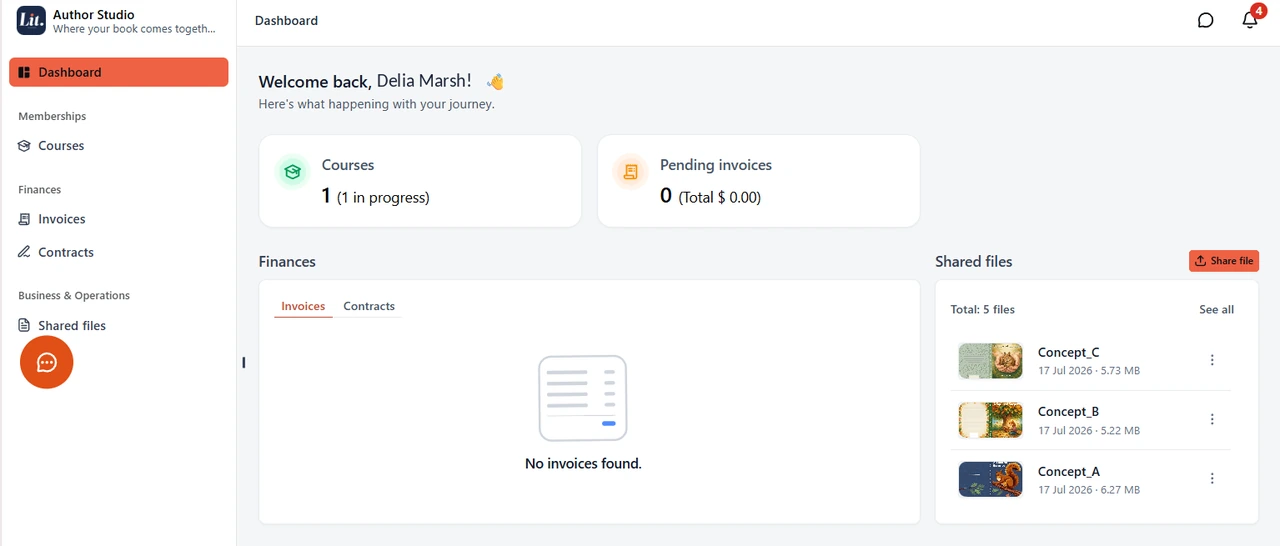
Your dashboard
The first screen you see. Courses in progress, invoices outstanding, and every file we have delivered — all on one page, nothing to hunt for.
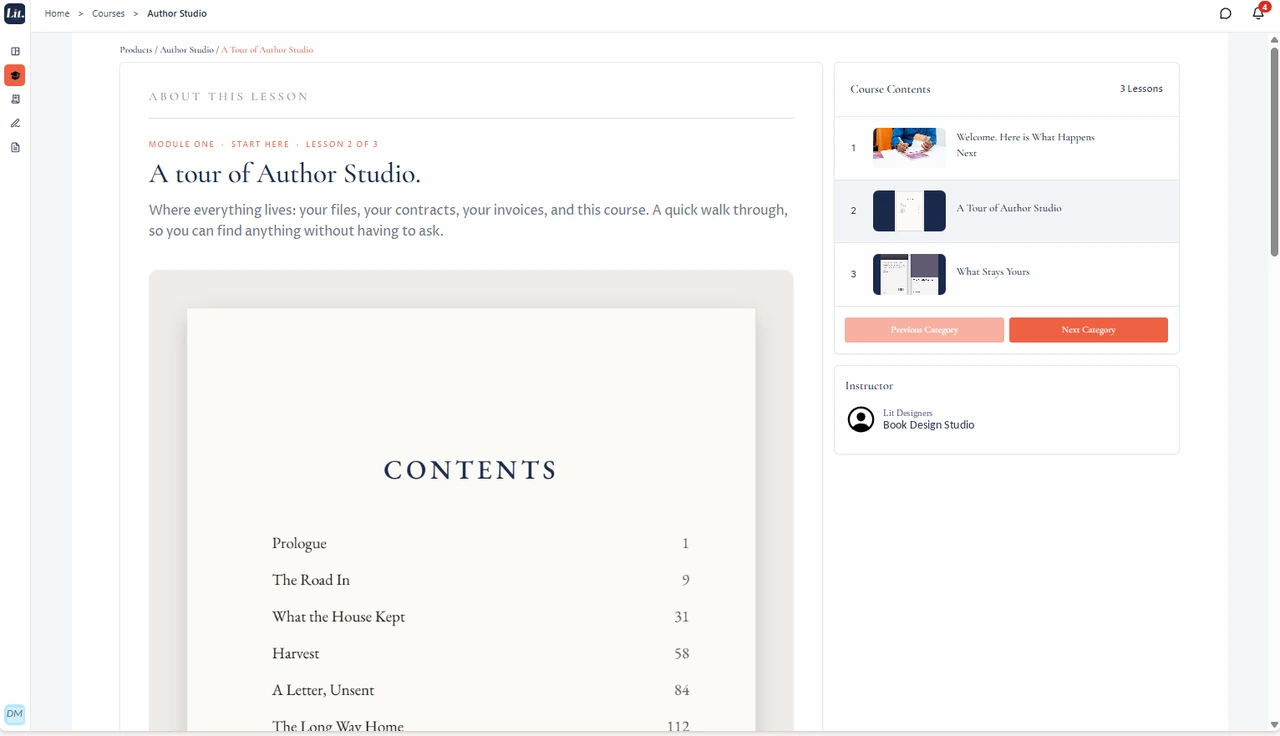
The course
Fifteen short lessons that walk you through the whole process, three minutes at a time. Come back to any of them whenever you like — it does not expire when your book ships.
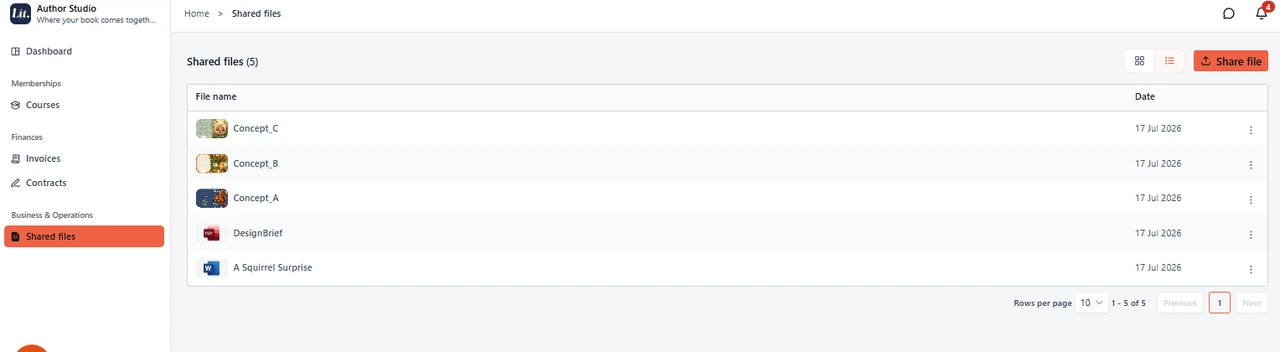
Your files
Every cover concept, every proof, every final production file. Downloadable any time, for as long as you want them — never emailed once and lost in a thread.
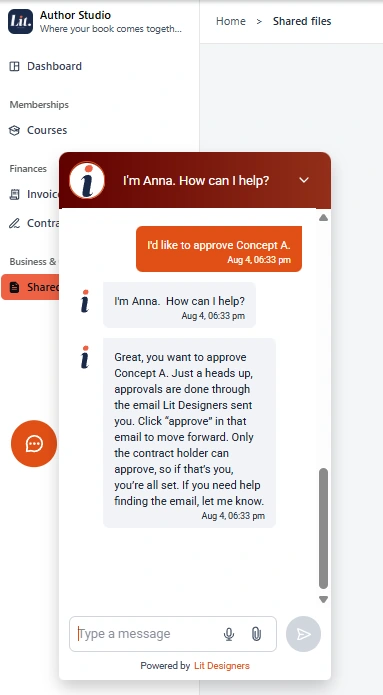
Anna
A studio assistant inside the portal, on call at any hour. She answers the small procedural questions — where a file went, how an approval works, what happens next — so you are never waiting on business hours for a two-line answer.
Screens shown are from the live portal. Sample author details are fictional.
And when you would rather just talk to someone —
There is a lesson called “When You Need a Person.” It is not a support ticket form. It is how to reach a person, instantly.
Book a Free Consultation